How shifts work
Three steps. It takes about a minute.
-
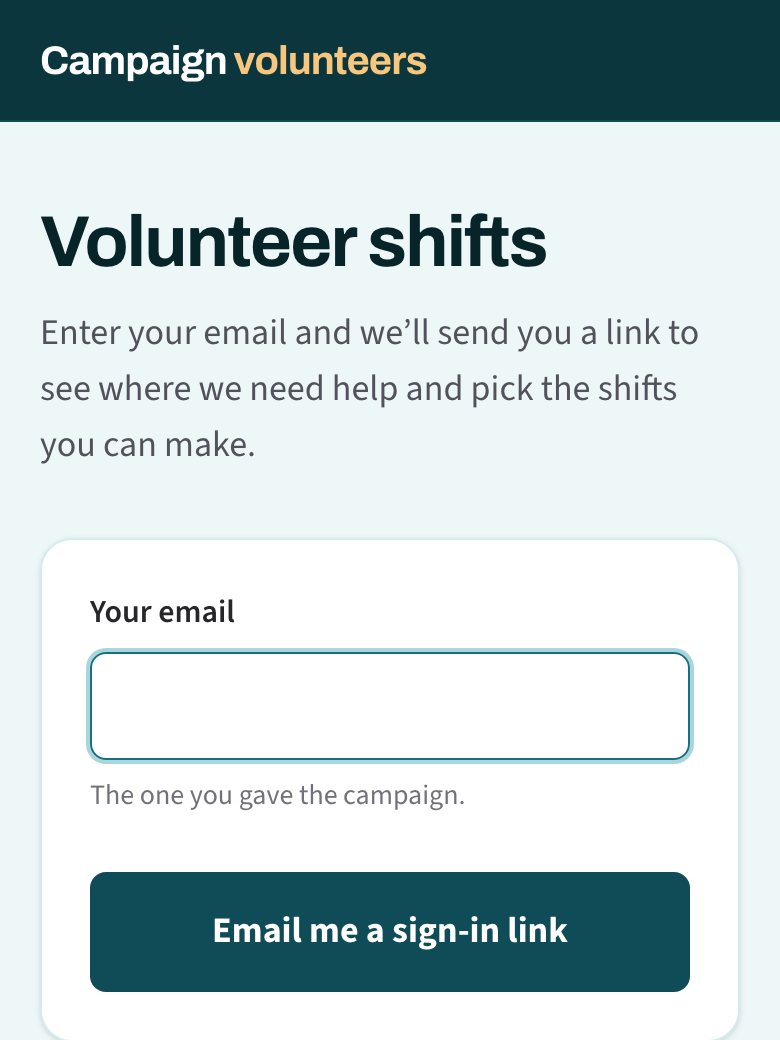
Sign in with your email
Tap the shifts link in any campaign email, or enter your email on the shifts page. We send you a link. Tap it and you’re in for 90 days. No password.
-
Pick your shifts
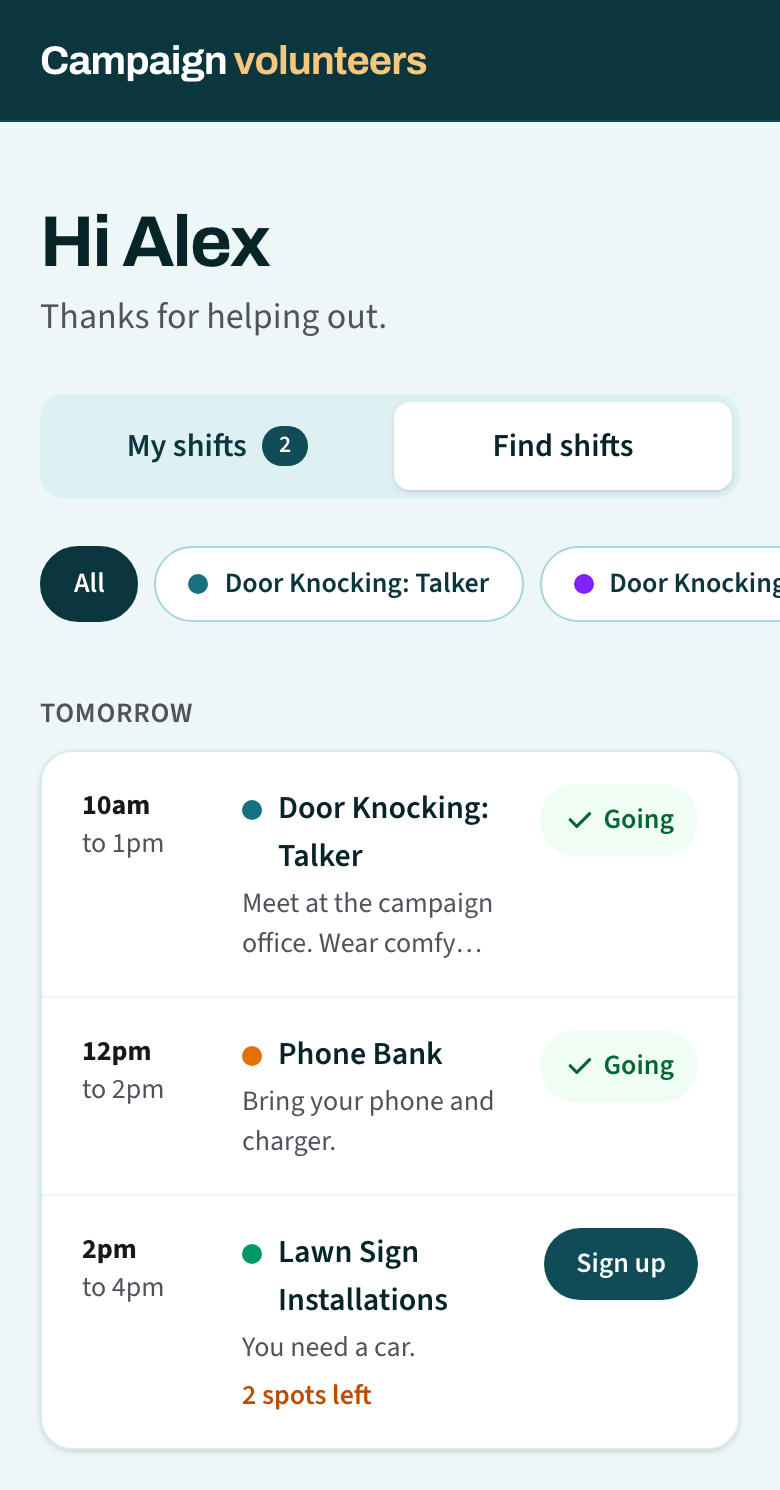
Tap Find shifts and then Sign up on any shift that fits. For door knocking, pick how you’d like to help: knock and talk, record, or both. Tap a kind of work at the top to see only those shifts.
-
Manage them in My shifts
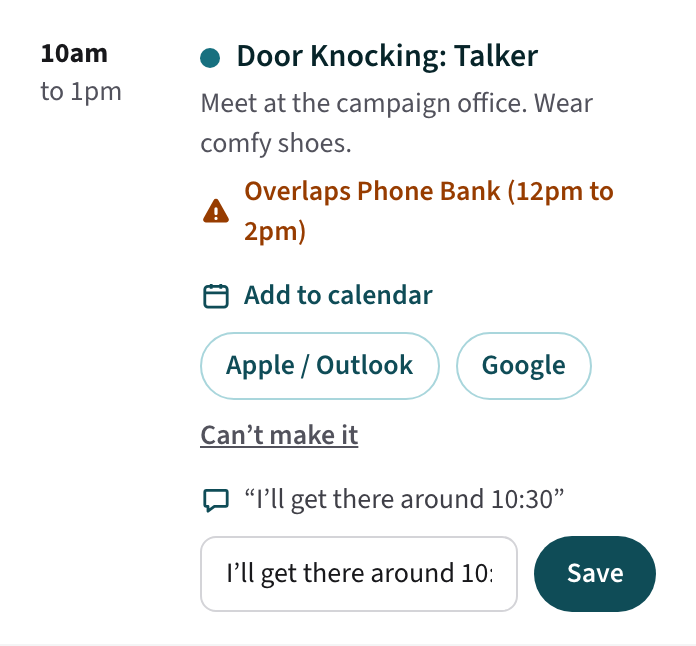
Add a shift to your calendar, send the team a note, or tap Can’t make it to free your spot. Shifts that overlap are marked in orange.
No email?
Check your spam folder. Still nothing? Ask your coordinator which email the campaign has for you. Links work for 60 minutes, so ask for a new one if yours is old.